 Noel Algora
c4b07f5113
* Modified Entropy to be able to apply it on regex match or specific capture group

* Config tests

* Small fixes on entropy ranges

* Fix toml configs
Fix tests

* Start adding support for rules with filename regex

Changed how config is parsed
Created new functions to inspect files and content

* File regex working

* Fixing tests and configs

* Implemented different regex for filename and filepath

* Fix comments

* Audit tests

* Config rename vars

* Fix audit tests

* Filename offender

* Indents and code styles

* Indents and code styles

* Removing bad test repo

* Adding test repo 6 for filename and filepath tests

* global whitelist path and fixes

* Fixes on tests and new test for global whitelisting paths

* Removing unused test

* Fix comment


Audit git repos for secrets. Gitleaks provides a way for you to find unencrypted secrets and other unwanted data types in git repositories. As part of its core functionality, it provides:
- Audits for uncommitted changes
- Github and Gitlab support including support for bulk organization and repository owner (user) repository scans, as well as pull/merge request scanning for use in common CI workflows.
- Support for private repository scans, and repositories that require key based authentication
- Output in JSON formats for consumption in other reporting tools and frameworks
- Externalised configuration for environment specific customisation including regex rules
- High performance through the use of src-d's go-git framework
repo scan |
|---|
|
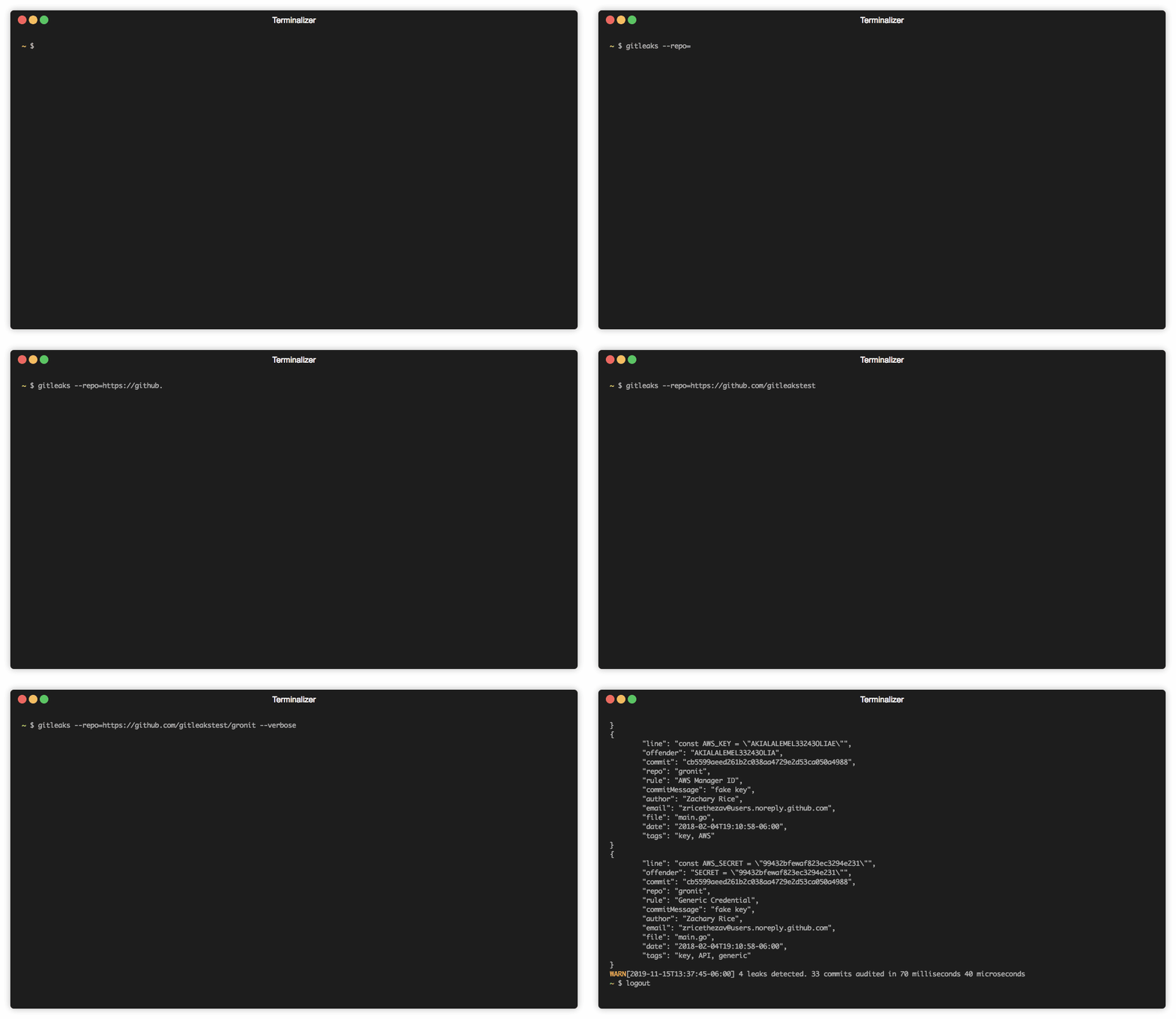
pre commit scan |
|---|
|
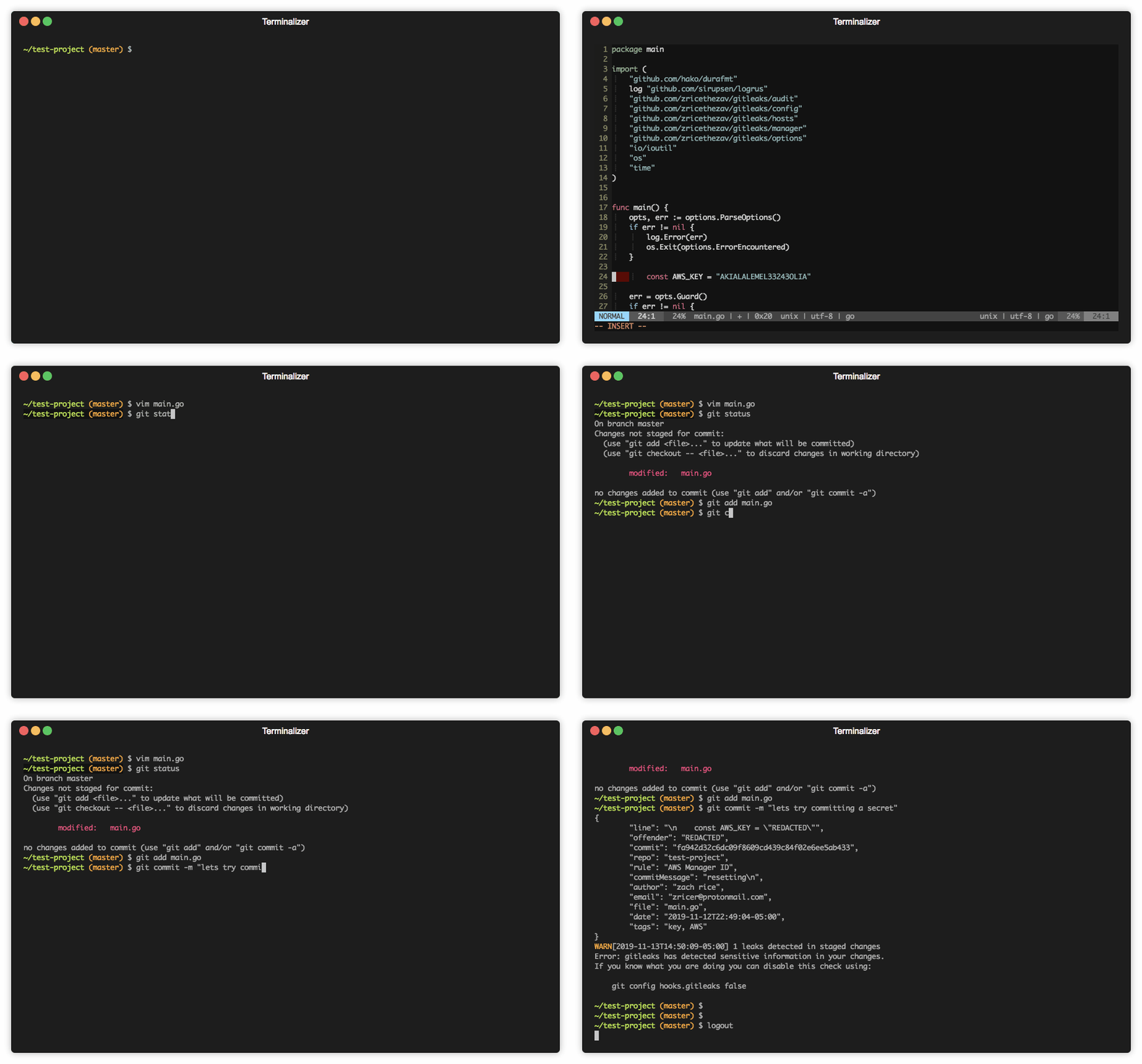
Getting Started
Written in Go, gitleaks is available in binary form for many popular platforms and OS types from the releases page. Alternatively, executed via Docker or it can be installed using Go directly, as per the below;
MacOS
brew install gitleaks
Docker
docker pull zricethezav/gitleaks
Go
Ensure GO111MODULE=on is set as an env var
go get github.com/zricethezav/gitleaks/v3@latest
Usage
gitleaks has a wide range of configuration options that can be adjusted at runtime or via a configuration file based on your specific requirements.
Usage:
  gitleaks [OPTIONS]

Application Options:
  -v, --verbose          Show verbose output from audit
  -r, --repo=            Target repository
      --config=          config path
      --disk             Clones repo(s) to disk
      --version          version number
      --username=        Username for git repo
      --password=        Password for git repo
      --access-token=    Access token for git repo
      --commit=          sha of commit to audit
      --files-at-commit= sha of commit to audit all files at commit
      --threads=         Maximum number of threads gitleaks spawns
      --ssh-key=         path to ssh key used for auth
      --uncommitted      run gitleaks on uncommitted code
      --repo-path=       Path to repo
      --owner-path=      Path to owner directory (repos discovered)
      --branch=          Branch to audit
      --report=          path to write json leaks file
      --report-format=   json or csv (default: json)
      --redact           redact secrets from log messages and leaks
      --debug            log debug messages
      --repo-config      Load config from target repo. Config file must be ".gitleaks.toml" or "gitleaks.toml"
      --pretty           Pretty print json if leaks are present
      --commit-from=     Commit to start audit from
      --commit-to=       Commit to stop audit
      --timeout=         Time allowed per audit. Ex: 10us, 30s, 1m, 1h10m1s
      --depth=           Number of commits to audit

      --host=            git hosting service like gitlab or github. Supported hosts include: Github, Gitlab
      --baseurl=         Base URL for API requests. Defaults to the public GitLab or GitHub API, but can be set to a domain endpoint to use with a self hosted server.
      --org=             organization to audit
      --user=            user to audit
      --pr=              pull/merge request url
      --exclude-forks    audit excludes forks

Help Options:
  -h, --help             Show this help message
Docker usage examples
Run gitleaks against:
Public repository
docker run --rm --name=gitleaks zricethezav/gitleaks -v -r https://github.com/zricethezav/gitleaks.git
Local repository already cloned into /tmp/
docker run --rm --name=gitleaks -v /tmp/:/code/ zricethezav/gitleaks -v --repo-path=/code/gitleaks
By default repos cloned to memory. Using --disk for clone to disk or you can quickly out of memory.
For speed up analyze operation using --threads parameter, which set to ALL - 1 threads at your instance CPU.
Exit Codes
Gitleaks provides consistent exist codes to assist in automation workflows such as CICD platforms and bulk scanning.
0: no leaks
1: leaks present
2: error encountered
Give Thanks
If using gitleaks has made your job easier consider sponsoring me through github's sponsorship program or donating to one of Sam's favorite places, the Japan House on the University of Illinois at Urbana-Champaign's campus: https://japanhouse.illinois.edu/make-a-gift
Logo Attribution
The Gitleaks logo uses the Git Logo created Jason Long is licensed under the Creative Commons Attribution 3.0 Unported License.